5 Best OBD2 Scanner for Beginners In 2026
Introduction: Why You Actually Need an OBD2 Scanner
That check engine light on your dashboard can make your heart skip a beat. You’re driving along, minding your business, and suddenly this little amber light decides to ruin your day. Your mind races through worst-case scenarios. Will your car explode? Did something break? Is this going to cost you thousands of dollars?
Here’s the truth: that light doesn’t always mean disaster. Sometimes it’s just telling you about a minor issue—maybe your gas cap is loose, or your oxygen sensor needs attention. The problem is, you can’t tell the difference without knowing what your car is actually trying to tell you.
This is where an OBD2 scanner comes in. These tools read the diagnostic codes your vehicle stores and translate them into something you can actually understand. Instead of guessing what’s wrong or spending money at a mechanic just to hear a diagnosis, you get real answers in minutes.
For beginners, having a good diagnostic scanner is like having a translator for your car. It levels the playing field between you and expensive repair shops. You get real information, make smart decisions, and keep more money in your pocket.
What You Need to Know About OBD2 Scanners
Before we jump into the actual products, let’s cover some basics that will help you make sense of everything that follows.
The OBD2 Standard Explained
Every car made after 1996 has an OBD2 system built in. This is a mandatory computer system that monitors your vehicle’s engine, emissions, transmission, and brakes. When something goes wrong—even minor stuff—the system stores a diagnostic trouble code.
Think of it like your car keeping a secret diary. When something isn’t right, it writes it down. OBD2 scanners are just tools that read this diary.
How These Tools Work
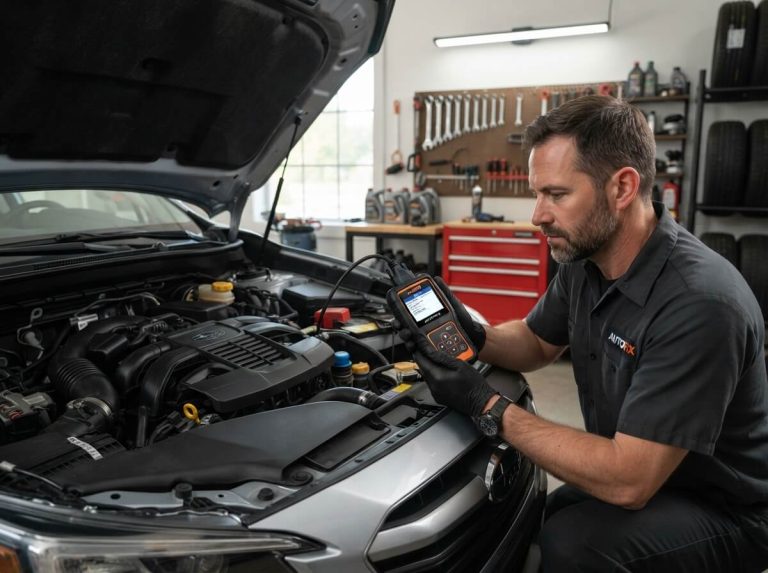
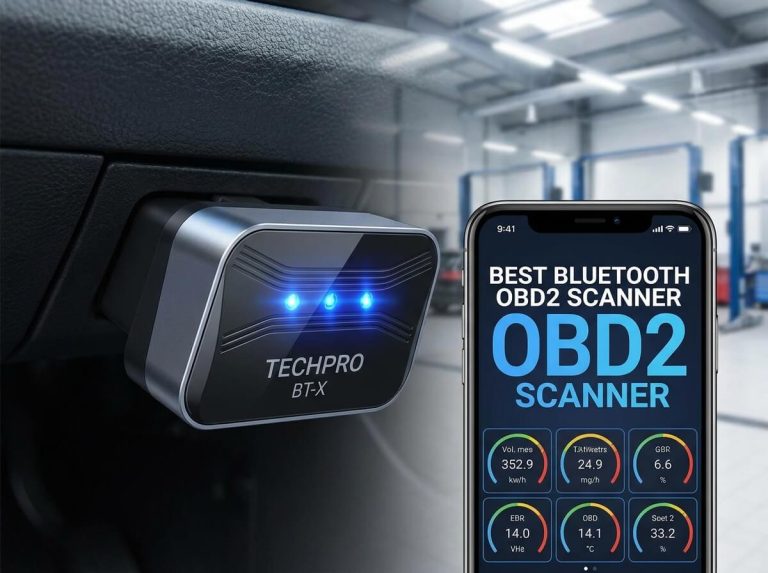
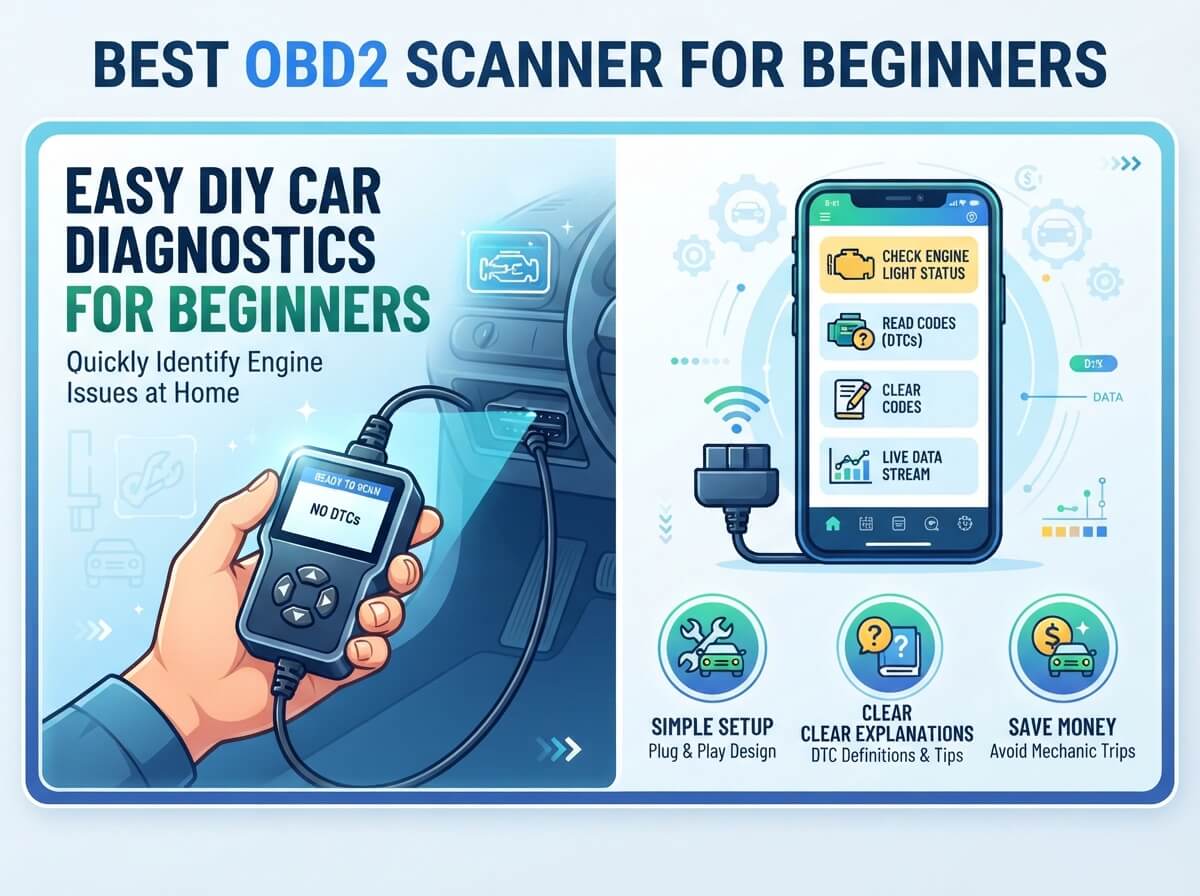
Most OBD2 scanners connect through the OBD2 port under your steering wheel. You plug them in, they communicate with your car’s computer, and they pull up any codes that have been stored. Some newer scanners use Bluetooth or Wi-Fi to connect wirelessly through an app on your phone.
Real Talk About Beginner Needs
Beginners don’t need fancy. You don’t need a $500 professional-grade scanner that does things you’ll never use. What you need is something that:
- Reads and clears check engine light codes
- Displays live data so you can see what’s happening
- Works with your phone or comes with an easy display
- Won’t make you want to throw it out the window
- Gives you accurate information without the headache
1. Innova 5610 OBD2 Bidirectional Scan Tool
What This Tool Is
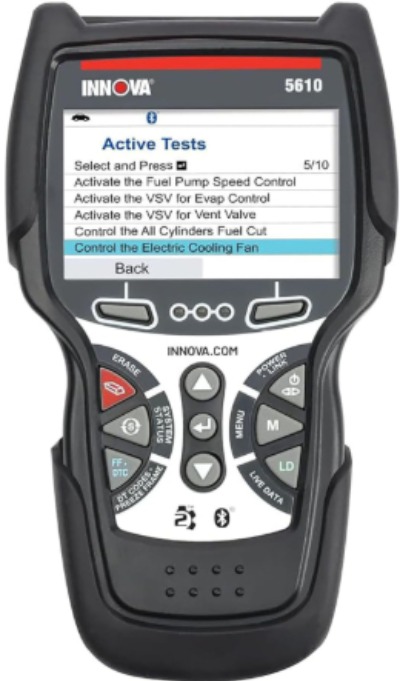
The Innova 5610 is a standalone device—no phone required. It’s a handheld scan tool with its own built-in display screen. This is the more traditional approach to diagnostic scanning, and it’s actually pretty great for beginners because there’s no app to mess with.
The 5610 specifically calls itself bidirectional, which means it doesn’t just read codes—it can also command your vehicle to perform tests. This is some serious functionality packed into one device.
Key Features That Matter
This tool reads codes from multiple systems: check engine, ABS, airbag, transmission, and more. You’re not limited to just engine diagnostics. The live data feature shows real-time information from your vehicle’s sensors, so you can watch your engine’s RPMs, fuel pressure, and oxygen sensor readings as they happen.
The updates come through Wi-Fi. You connect the scanner to your home network and download the latest vehicle calibrations. This means the tool stays current with new vehicles and gets smarter over time.
Real-Life Stuff That Matters
The screen is easy to read—not tiny like some cheaper scanners. Menu navigation feels straightforward, though it takes a few minutes to get comfortable with the button layout. Once you do, moving through options feels natural.
One genuinely useful feature is the graphing capability. You can watch sensor data display as moving graphs, which helps you spot patterns in what your vehicle is doing. This is the kind of thing that separates this tool from basic code readers.
The US-based technical support actually means something. When you have questions, you’re calling people in your own time zone who speak your language. That matters more than it sounds.
Honest Strengths
The 5610 doesn’t need your phone, which is genuinely nice. You have a dedicated tool that does one job well. The bidirectional features let you do things like perform battery tests and monitor live data without any subscription fees. Once you buy it, you own everything.
Build quality feels solid. This isn’t some flimsy plastic gadget. It has actual weight to it and feels like a professional tool you can keep using for years.
Real Limitations
The standalone display means you can’t zoom in on codes the way you would with a phone app. The screen is small enough that reading lots of data at once gets cramped. For beginners with healthy eyesight, this isn’t a huge deal, but it’s worth knowing.
The learning curve exists. This tool is more capable than beginner-focused devices, so the menu system is more complex. You’ll spend your first few uses getting oriented. It’s not confusing, just more involved than something super simplified.
How It Performs
In real scenarios, this tool grabs codes quickly—usually within seconds of plugging in. Live data streams smoothly without lag. The bidirectional testing works reliably, though like any diagnostic tool, results are only as good as the data your vehicle provides.
Battery lasts reasonably well between charges, and the cable quality is above average. You won’t be replacing cords every few months.
Money Value Consideration
This costs more than basic code readers, but you’re getting a device that will likely outlive your current car. The no-subscription model is a huge plus. You pay once and have full access to everything forever. For beginners who plan to keep learning about their vehicles, this makes financial sense.
2. BLCKTEC 440 Bluetooth OBD2 Scanner
What This Tool Is
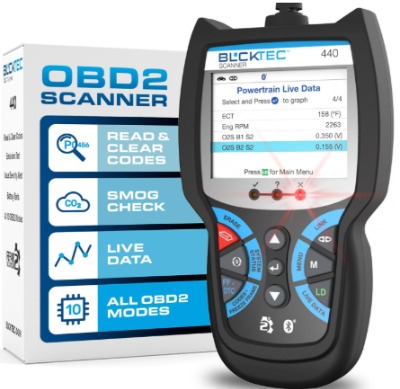
The BLCKTEC 440 takes a different approach. It’s a small device that connects wirelessly via Bluetooth to your phone. You install an app, plug the device into your OBD2 port, and boom—you’ve got a diagnostic scanner in your pocket.
This device is specifically built for people who want simplicity and don’t want to carry an extra gadget.
Key Features That Matter
The Bluetooth connection is stable. It connects quickly and doesn’t drop out randomly, which is important because a disconnected scanner is pretty useless. The app works on both iPhone and Android, so no platform wars here.
Live data streaming is included, so you can watch your vehicle’s sensors in real time. Battery and charging system tests are built in, which is helpful for diagnosing why your car might not be starting properly.
The tool works on all vehicles made in 1996 or newer. That covers basically every car on the road today. The OBD compliant language means it speaks the universal diagnostic language that all cars use.
Real-Life Stuff That Matters
Setup takes maybe two minutes. Connect it, install the app, give the app permission to access Bluetooth, and you’re done. There’s no complicated registration or pairing ritual.
The app interface is clean and not overwhelming. They didn’t try to cram every possible feature into a tiny screen. Beginners can see what matters and ignore the rest.
Having your phone do the display work means you get whatever screen size your phone has. Bigger screen equals easier reading. Most people have phones they already look at all day, so the interface feels natural.
Honest Strengths
Price is genuinely competitive. You get solid functionality without paying for features you’ll never use. The Bluetooth approach means you’re not carrying another device.
The device is small enough to leave plugged in under your steering wheel. You’ll forget it’s there between diagnostic sessions. The cable is reasonably long, so it doesn’t feel cramped.
Live data works well and updates quickly. You can watch real-time engine performance without lag issues.
Real Limitations
Phone dependency means if your phone dies, you lose your diagnostic capability. The app needs to be open and connected, which drains your phone battery faster than normal use.
Bluetooth range is limited to about 30 feet. This matters if you need to work on your car outside and walk away to the parts store, but for typical home use, it’s fine.
Some users report that the app occasionally needs to be reinstalled to work properly, though this is rare and usually a phone-related issue rather than a device issue.
How It Performs
Code reading is fast and accurate. The device communicates with your vehicle reliably and pulls correct diagnostic trouble codes. Live data streams smoothly in most conditions, though using older phones sometimes causes slight delays in graph updates.
The battery test works well and gives you real insight into your battery and charging system health. This single feature often pays for the device if it saves you from a dead battery situation.
Money Value Consideration
This is genuinely affordable. You’re getting real diagnostic capability for a price that won’t hurt your wallet. If you already have a smartphone, you don’t need to buy anything else. That’s a win for beginners trying to keep costs down.
3. Innova 1000 Bluetooth OBD2 Scanner
What This Tool Is
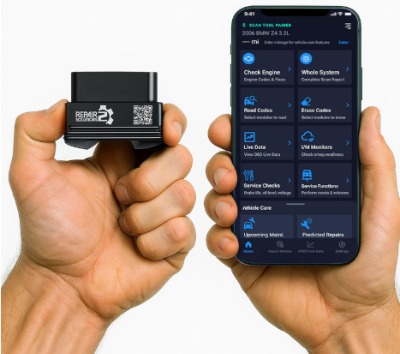
Innova makes the high-end 5610 we looked at earlier, and they also make the 1000, which is their beginner-focused Bluetooth scanner. It’s positioned specifically for people who want Innova’s reputation but prefer the smartphone approach.
Key Features That Matter
This reads check engine, ABS, and SRS (airbag system) codes. It doesn’t do as many systems as the 5610, but it covers the big three that beginners actually care about. The device works on iPhones and Android phones equally well.
Innova emphasizes the predictive capability. The app doesn’t just tell you what’s wrong now—it analyzes patterns and tries to warn you about potential problems before they become serious. This is genuinely useful for catching issues early.
No subscriptions, ever. You pay once and own everything. Innova is clear about this, and it’s backed up by their policy. No surprise fees hiding in the app.
Real-Life Stuff That Matters
The app is genuinely clean and simple. They designed it for people who aren’t mechanics. You plug in, see your codes, and understand what they mean. Innova includes explanations of what each code actually means, not just the technical code numbers.
The predictive feature works by comparing your current vehicle data to normal parameters. It shows you trends. Maybe your fuel pressure is slowly dropping, or your oxygen sensor readings are getting weird. The app flags this and suggests you pay attention.
Setup is straightforward. Pair the device with your phone, open the app, and you’re ready to diagnose. The whole process takes less time than making a coffee.
Honest Strengths
Innova’s reputation for quality carries over to this device. It’s not fancy, but it’s reliable. The predictive functionality actually makes this more useful than it looks on paper.
The app experience is comfortable for beginners. Nothing feels intimidating or overly technical. You get the information you need without drowning in details.
Since there’s no subscription, you can buy this tool and use it as much as you want without worrying about costs piling up. That encourages you to actually use it and learn about your vehicle.
Real Limitations
It doesn’t read as many vehicle systems as some competitors. If your vehicle’s transmission light comes on, this tool won’t tell you what’s happening. For most beginners, this limitation isn’t a deal breaker, but it’s worth knowing.
The live data is available but less detailed than the 5610. You’re not graphing complex sensor data here. You’re getting basic information about what’s going on.
Phone dependency means dealing with the limitations of smartphone connectivity and battery drain.
How It Performs
Code reading is accurate and fast. The app doesn’t have any lag or slow response times. Predictive warnings actually seem to work—users report catching issues earlier thanks to the trend monitoring.
The learning curve is gentle. Most people figure out the app without reading instructions, which is a solid sign of good design.
Money Value Consideration
This is mid-range pricing. More expensive than basic code readers, less expensive than the 5610. For beginners who want Innova’s reliability without paying for features they won’t use, this hits the sweet spot.
4. Repair Club Pro OBD II Scan Tool
What This Tool Is
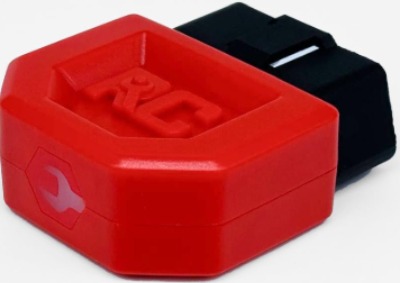
Repair Club Pro specifically targets people who want to use their phones and want zero subscription fees. The name itself tells you what it’s about—helping with repairs without recurring costs.
Key Features That Matter
This reads all OBD2 systems on vehicles from 1996 forward. That’s the full range. Check engine, transmission, ABS, airbag—it handles everything your vehicle can report.
The app works on both iPhone and Android. The Bluetooth connection is solid, and the device itself is compact and easy to use.
No subscriptions, no hidden fees, no freemium model trying to upsell you. You buy it once and have everything.
Real-Life Stuff That Matters
The interface is straightforward. You open the app, plug in the device, and you get your codes with explanations. The code descriptions are beginner-friendly—plain English instead of technical jargon.
Live data is available, though it’s not as graphically intensive as some competitors. You see numbers and understand what they mean rather than fancy charts.
The tool is reliable for basic to intermediate use. It doesn’t have fancy bidirectional features, but it does what it says without drama.
Honest Strengths
Simplicity is the real strength here. There’s no learning curve and no feeling like you bought too much tool for your needs.
The pricing is reasonable, and the no-subscription model means you never feel nickeled and dimed. That matters psychologically when you’re a beginner skeptical about automotive tools.
Build quality is solid. The cable is sturdy, the device feels durable, and the Bluetooth chip is reliable.
Real Limitations
This is a basic tool. It doesn’t have bidirectional testing, graphing capabilities, or predictive features. It reads codes and shows live data. That’s it.
The app could be more polished. It works fine, but it doesn’t feel as refined as the Innova apps or some competitors. This doesn’t affect functionality, but it matters if you’re going to look at this app regularly.
The live data display is less detailed than higher-end scanners. You get basic information, not comprehensive sensor data.
How It Performs
It does what it promises. Codes are read accurately, live data is reliable, and the Bluetooth connection is stable. There’s no drama here—it just works.
For beginners who need basic diagnostics without overwhelming options, this performs perfectly. It’s not the tool for someone who wants to dig deep into vehicle diagnostics, but that’s fine.
Money Value Consideration
This is the budget-friendly option without being the cheapest. You get good value for the money. It’s the choice for beginners who want actual capability but don’t want to spend like they’re setting up a professional shop.
5. ANCEL AD310 Classic Enhanced Universal OBD II Scanner
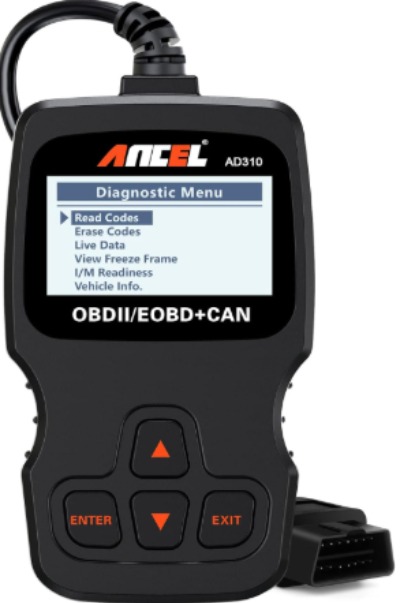
What This Tool Is
The ANCEL AD310 is a standalone handheld device with its own display. It’s positioned as the classic, no-frills choice for people who just want to read codes and clear check engine lights without any tech complications.
Key Features That Matter
This device reads and clears diagnostic trouble codes. It works on all vehicles with OBD2 systems from 1996 forward. The display is built-in, so no phone dependency.
CAN protocol support means it works with both older and newer vehicles. If you have a classic 1996 car or a recent model, this handles both.
The black design is practical and professional-looking. This looks like a tool, not a toy.
Real-Life Stuff That Matters
Setup is literally plug and play. You plug it into your OBD2 port, the device powers up, and you’re ready to read codes. There’s no app to install, no Bluetooth to pair, no Wi-Fi to configure.
The display shows codes with brief descriptions. You’re not getting detailed explanations, but you get enough context to understand what’s wrong.
The buttons are physical and tactile. You navigate with actual buttons, not touchscreen menus. Some people genuinely prefer this for simplicity.
Honest Strengths
The simplicity is genuinely refreshing. This tool does one thing and does it well. There’s no learning curve to speak of.
No subscriptions, no app updates, no phone battery drain. This device is independent and self-contained.
The price is very low. If you want the cheapest entry point into OBD2 scanning, this is it.
Real Limitations
It only reads codes—no live data, no graphing, no advanced features. You get the code and that’s your information. Many beginners want to see live data at least, and this doesn’t provide that.
The display is small and basic. Reading multiple lines of code data is cramped compared to a phone screen.
No Bluetooth or updates means if there’s a bug in how codes are interpreted, you can’t fix it with a software update.
How It Performs
Code reading is reliable. You plug in, it reads your vehicle’s codes, and shows them to you accurately. There’s no performance issue—it just works steadily and predictably.
The device is durable. This is a tool that will keep working year after year without issues.
Money Value Consideration
This is the entry-level price point. If you only need basic code reading and don’t want to spend much, this delivers. You’re not getting live data or advanced features, but you’re not paying for them either.
Comparison Insights: Which Tool Does What Best?
For Pure Simplicity
The ANCEL AD310 wins this category. Plug it in, read codes, done. No setup, no apps, no decisions.
For Phone Integration
The Innova 1000 and BLCKTEC 440 both excel here, but the Innova 1000 has the edge with its predictive features and cleaner app design. BLCKTEC 440 is cheaper if that matters more to you.
For Full Capability
The Innova 5610 is in its own league. You get bidirectional testing, graphing, multiple system monitoring, and real professional-grade features. Pay more, get more.
For Budget Beginners
Repair Club Pro offers the best balance of price and features. It does everything except fancy stuff you probably won’t use anyway.
For Battery and Charging Issues
The BLCKTEC 440 has the specific battery testing feature that’s genuinely useful for diagnosing starting problems.
For Long-Term Learning
The Innova 5610 grows with you. As you get more interested in vehicle diagnostics, the advanced features become useful. It’s less likely you’ll outgrow it.
Buying Guide: How to Pick Your Scanner
Ask Yourself What You Actually Need
Be honest. Do you just want to read that check engine light? Or do you want to understand what’s happening in your engine? Your answer determines which tool makes sense.
Consider Your Phone Situation
Do you have a smartphone? Is it relatively modern? If yes, a Bluetooth scanner makes sense. If you don’t have a phone or prefer not to use it, a standalone device is better.
Think About Vehicle Systems
What’s your car? Older cars might not need all the system monitoring. Newer cars with more computers might benefit from reading multiple systems.
Budget Reality Check
All these tools are affordable. The range is about $50 to $400. Set a budget and stick to it. Don’t spend more than you’re comfortable with as a beginner.
Evaluate Your Patience
Are you someone who wants to dive into details and learn vehicle diagnostics? Or just want quick answers? This affects which tool fits your personality.
Check Your Support Needs
Do you want customer support readily available? Innova offers US-based support. Others offer email support. This matters if you’re unsure about using the tool.
Who Should Buy Each of These Products
Buy the Innova 5610 if:
You’re committed to learning vehicle diagnostics. You have a car you plan to own long-term. You want a tool that grows with your knowledge. You’re willing to invest more upfront to avoid subscriptions forever.
Buy the BLCKTEC 440 if:
You want basic to intermediate scanning. You like having your smartphone do the work. Battery and charging system testing matters to you. You want good value without the highest price tag.
Buy the Innova 1000 if:
You prefer an Innova tool for reliability. You like the idea of predictive warnings about potential problems. You want something between basic and professional. You value Innova’s reputation.
Buy the Repair Club Pro if:
You want the most affordable full-system scanner. You like straightforward apps without excessive features. You value simplicity over advanced capabilities. You’re budget-conscious but don’t want the cheapest option.
Buy the ANCEL AD310 if:
You just want to read codes and clear check engine lights. You’re skeptical about smartphone apps. You want the lowest entry price possible. You prefer a tool that requires no setup or configuration.
Common Mistakes Beginners Make With OBD2 Scanners
Expecting the Tool to Be a Mechanic
The scanner tells you what’s wrong, not how to fix it. A code that says “Oxygen Sensor Circuit Malfunction” doesn’t tell you whether you need a new sensor or just a new wiring connection. The tool narrows down the problem, but it doesn’t eliminate the need for knowledge or YouTube research.
Clearing Codes Without Understanding Them
That check engine light is your vehicle’s way of communicating. If you clear the code without addressing the problem, the light comes back and you’ve learned nothing. Read the code, understand what it means, and fix the issue before clearing it.
Ignoring Multiple Codes
Sometimes your vehicle throws several codes at once. They might all mean the same problem. For example, a faulty oxygen sensor might trigger multiple codes. Don’t try to fix each one separately—diagnose the root cause.
Using Cheap Cables
The cables that connect your scanner to your OBD2 port get stressed and can break. Cheap cables break faster. Having a good cable saves frustration and money in the long run.
Not Updating Your Device
For devices that support updates, do them. Updates fix bugs, add support for new vehicles, and improve performance. Most updates are free and quick.
Forgetting to Clear Codes After Fixing Issues
Fix the problem, then clear the codes. This resets your check engine light and lets your vehicle run its diagnostic system fresh. It also confirms your fix actually worked.
Assuming Your Phone App Replaces Professional Diagnostics
These tools are amazing for understanding vehicle codes. They’re not replacements for professional mechanics when your car needs actual repairs. Use the scanner to understand what’s happening, then make smart decisions about whether to fix it yourself or get professional help.
Ignoring Live Data
The most valuable feature is watching live data while your car runs. This shows patterns and helps you understand what’s actually happening. Beginners often skip this and just read codes. Don’t. Take time to watch the data.
Making Your Final Decision
You’ve read five detailed reviews. You understand what each tool does. Now comes the actual decision, and it’s easier than you might think.
If this is your first OBD2 scanner, you can’t make a wrong choice from these five options. Each one is legitimate, reliable, and serves real needs.
The honest ranking for beginners:
- Best Overall: Innova 5610 if you want professional capability and no subscriptions forever. It costs more upfront, but you own it completely.
- Best Smartphone Option: Innova 1000 if you want Innova’s reliability with a cleaner interface and predictive features.
- Best Value: BLCKTEC 440 or Repair Club Pro depending on whether you value the battery testing feature.
- Best Simplicity: ANCEL AD310 if you truly just want to clear that check engine light.
The real verdict is this: Get an OBD2 scanner sooner rather than later.
That check engine light will come on eventually. When it does, you can either panic and make expensive decisions, or you can plug in a diagnostic tool and actually know what’s happening. The tool pays for itself the first time it saves you from an unnecessary repair or catches a problem before it becomes serious.
Pick the option that fits your budget and personality. All five of these tools will serve you well as you start your journey into understanding your vehicle. The best scanner is the one you’ll actually use.
Don’t let perfect be the enemy of good. A basic scanner you use is worth more than the perfect scanner you never plug in. Start today, learn your vehicle, and take control of your maintenance decisions.

Peterson is an automotive enthusiast and auto parts reviewer with a passion for vehicle maintenance, upgrades, and performance. He enjoys researching and testing car parts, tools, and accessories to help drivers make informed buying decisions. Through AutoPartsTalk.com, Peterson shares honest reviews, practical maintenance tips, and expert guides to keep vehicles running safely and efficiently.